The application and selection platform for landlords
Every reply to your rental in one place.You choose the tenant.
From the first reply to your new tenant. Manage applications, invite candidates to a viewing and choose your tenant, in one place. You stay in control.
Keep advertising where you like: Funda, Pararius, Kamernet, social media or your own network. You share one Roost link.
Roost is being tested now and opens to landlords soon.
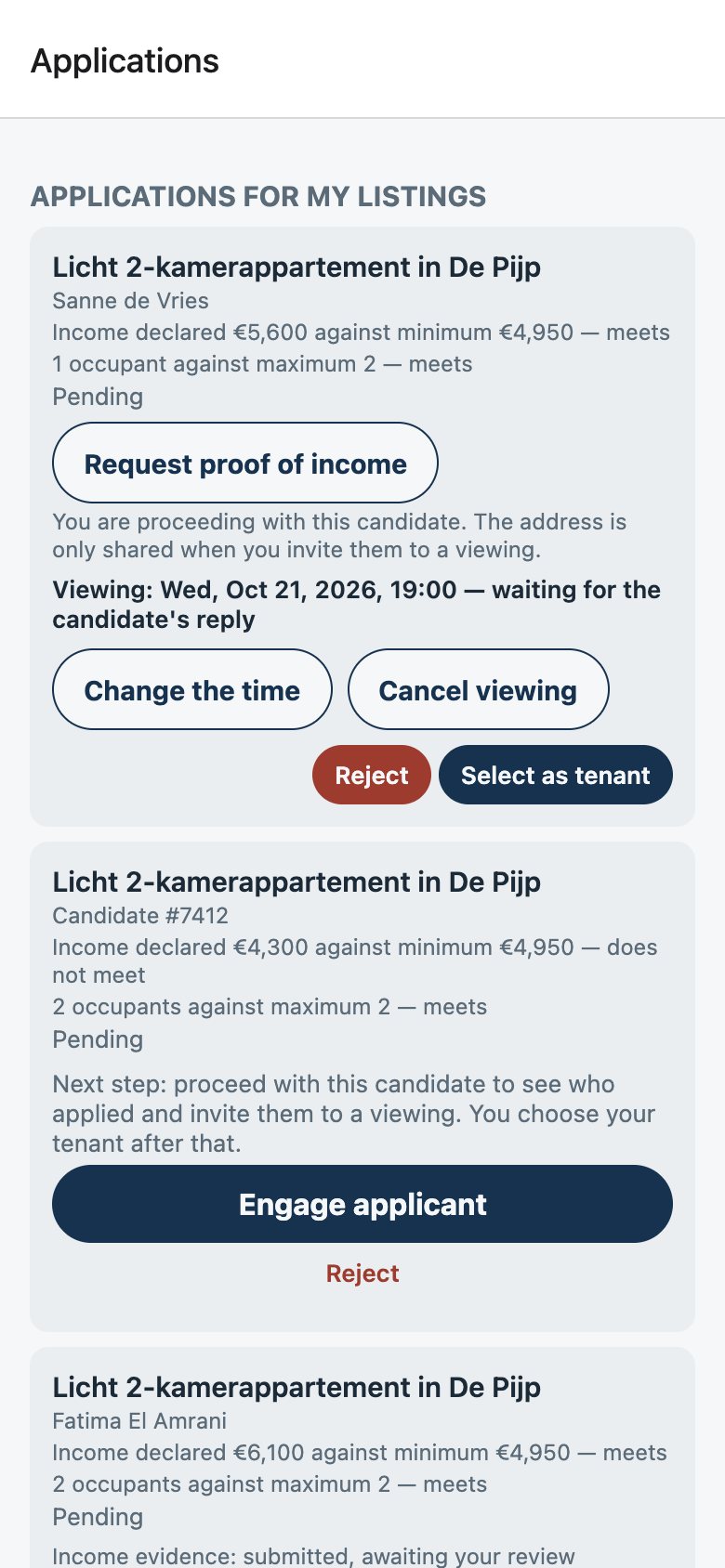
A real Roost screen, with invented sample data.
Your advert stays where it is
Advertise where you like. Manage the replies with Roost.
Roost is not a listings site. You keep advertising through the channels that work for you. When someone wants to apply, Roost begins.
- Funda
- Pararius
- Kamernet
- Social media
- Your own network
nextroost.nl/apply/…How it works
From advert to let, in five steps.
Advertise
List your home wherever you like, as you already do.
Share your Roost link
People who are interested apply through one clear link, in their browser.
Review
See each application next to the requirements you published beforehand.
Invite
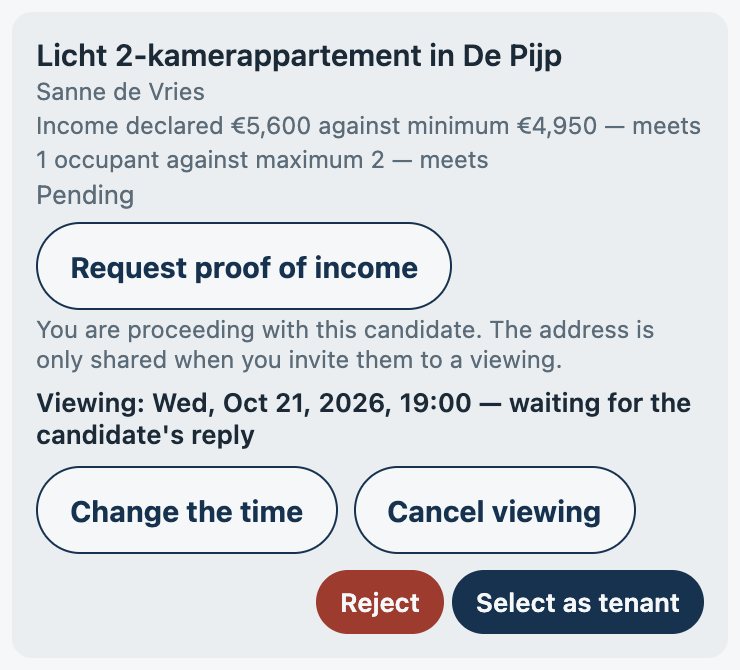
Invite candidates to a viewing and agree a time.
Let
Choose your tenant, arrange the lease yourself and mark the home as let.
What it looks like
Roost organises. You decide.
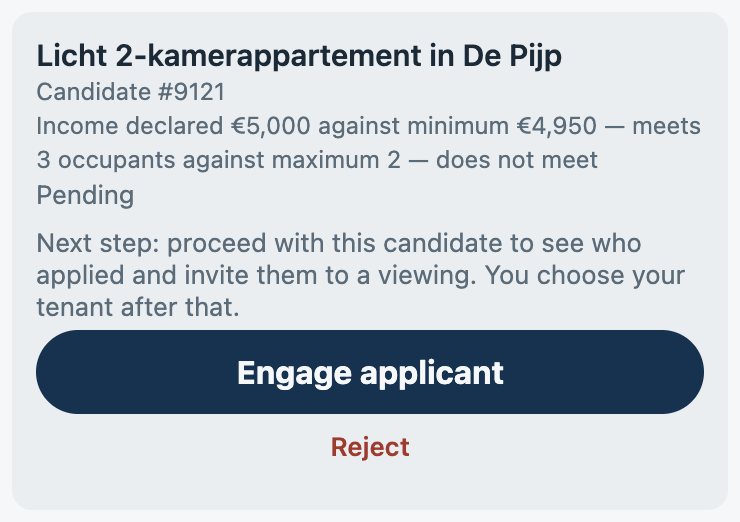
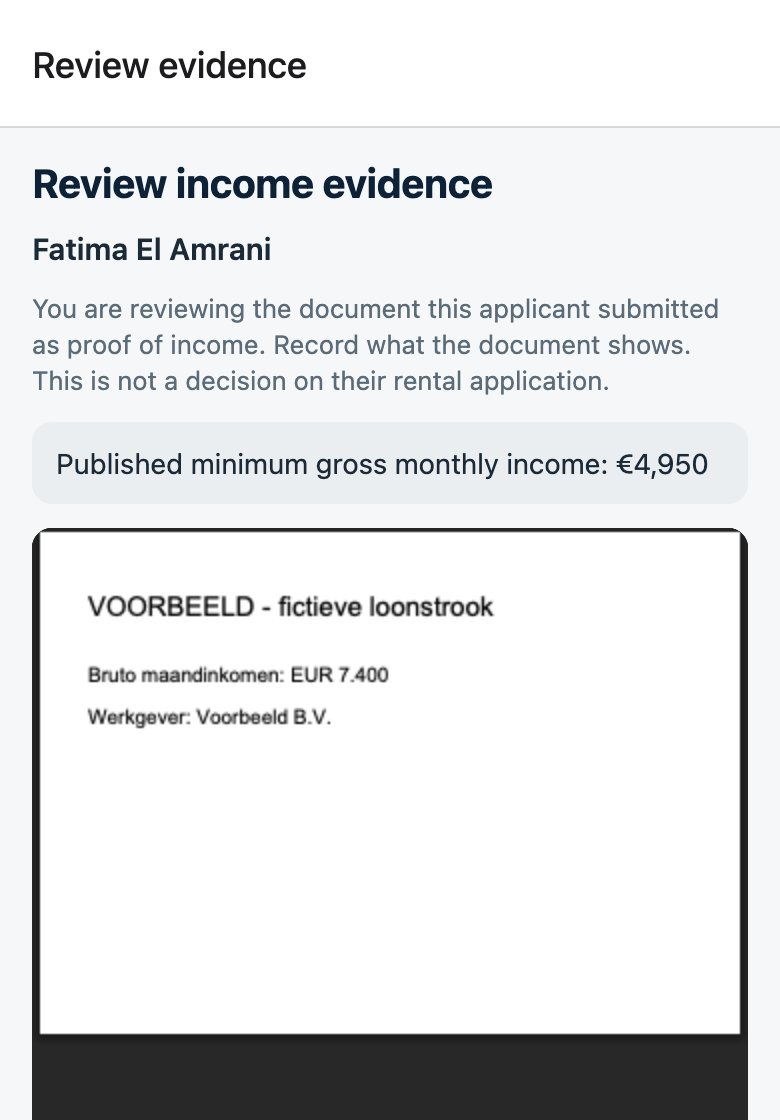
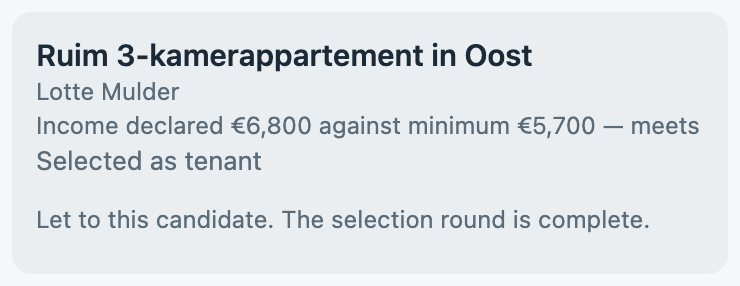
Real Roost screens, with invented sample data.
For landlords
Less work on every letting.
Less admin
Fewer loose emails, documents and messages. Applications arrive in one place, in order of arrival.
More overview
For each home you see who applied, who you proceeded with and who you invited.
You stay in control
Roost organises the process. It does not rank and does not choose: you choose the tenant.
Privacy
Select fairly. Without unnecessary personal data.
Roost helps you run a structured and transparent selection process.
The same requirements for everyone
You publish your requirements beforehand. Every applicant sees the same procedure and answers the same questions.
Answers first, then the name
An application is a candidate number and the answers to your requirements. You see the name only once you decide to proceed.
Documents only when needed
You ask for proof of income only after that, and only for a published requirement. The document is deleted as soon as you record your review.
The address with the invitation
An applicant gets the exact address only when you invite them to a viewing. Every round can be exported as a record without names.
Roost does not give legal advice and does not make a selection lawful by itself. You remain the landlord.
- Your data is stored in the EU
- No advertising
- Documents deleted after review
Founding Gold
Become a Founding Gold Member
The first 500 Founding Gold places have been taken
Complete your first letting with Roost while places remain, and use Roost V1 free until 8 November 2028.
Founding Gold starts at launch: whoever then completes their first letting with Roost while places remain uses Roost V1 free until 8 November 2028.
500 landlords were there from the start. Start with Roost and see how much simpler letting can be.
Your place starts at your first completed letting, not when you sign up. Features added after V1 and payment services are not included.FAQ
What landlords want to know.
What does Roost cost?
Roost is free now. Founding Gold Members use Roost V1 free until 8 November 2028. If paid features come later, you hear about it first and never pay without agreeing first.
What does Roost cost?
Roost opens soon. Founding Gold starts at launch: whoever then completes their first letting with Roost while places remain uses Roost V1 free until 8 November 2028.
Where do I advertise my home?
Wherever you like: Funda, Pararius, Kamernet, social media or your own network. Roost is not a listings site. You put your Roost link in your advert.
Does a renter have to install an app?
No. Renters apply in their browser through your link and sign in with a code by email.
When do I see who applied?
First you see a candidate number and the answers to your requirements. You see the name once you decide to proceed with a candidate.
When does a candidate get the address?
Only when you invite them to a viewing. Before that a candidate sees the neighbourhood only.
Can I set my own requirements?
You choose from set requirements: a minimum gross monthly income, a maximum number of occupants, an earliest move-in date and a minimum lease term. Roost writes out the procedure, so every candidate sees the same text.
Does Roost choose the tenant for me?
No. Roost puts each answer next to your requirement, but does not rank and does not decide. You choose the tenant.
What happens to documents?
You ask for proof of income only after proceeding with a candidate, and only for a published requirement. Only you see the document. It is deleted as soon as you record your review.
Does Roost handle the lease?
No. You arrange the lease yourself with your tenant. Then you mark the home as let in Roost, and the other candidates hear the outcome.
Can I use Roost for one home?
Yes. Roost works per home, whether you let one or several.
How does Founding Gold work?
Complete your first letting with Roost while places remain: you choose a tenant in a selection round and mark the home as let. Then you become a Founding Gold Member and use Roost V1 free until 8 November 2028. Signing up alone is not enough. Founding Gold starts when Roost launches.
Ready to find your next tenant?
Advertise where you like. Let Roost organise the replies.
Start with Roost Coming soon